
SOUL77 on Mobile: From Setup to Your First Game
Updated
The SOUL77 mobile experience uses an APK on Android and a home-screen web app on iPhone. This guide explains the setup from start to finish, then covers the tools you may use after a week and a month. You can also compare it with the SOUL77 casino homepage.
Check your phone first
Confirming the basic requirements before downloading can prevent an interrupted setup.
| Item | Android phone | iPhone |
|---|---|---|
| Operating system | Android 9 or later | iOS 15 or later |
| Available storage | 250 MB | 60 MB |
| App format | 72 MB APK | No file, web app |
| Memory | 3 GB recommended | Any supported model |
The download costs nothing and provides access to the full casino, including 4,100 slots, 180 live tables, fishing games, the cashier and live chat. For game categories, see the SOUL77 slots page.
Get the Android download
Android players receive the APK from the SOUL77 mobile website. Google Play does not list real-money casino apps in many countries, so the file is supplied directly.
Use these three actions:
- Open the SOUL77 site: use Chrome or another phone browser
- Press Download: find the button in the upper navigation
- Confirm the file: choose Download anyway if Android displays a warning
With Wi-Fi, the 72 MB download usually completes in 10 to 20 seconds. On 4G, allow up to one minute.
What the browser notice means
Android gives this message to files obtained outside Google Play. It is a standard source warning rather than the result of an individual scan.
Install the APK safely
Once the file is ready, open it through the download notification or the Downloads folder.
- Choose the APK: open the file named soul77.apk
- Open settings: use the permission prompt from Android
- Allow this browser: enable installs from the app you used
- Start installation: return to the file and tap Install
- Launch SOUL77: wait around 30 seconds, then tap Open
After installation, you can turn off the permission for unknown app installs. SOUL77 requests notification access for account and offer messages.
If Android offers a security scan
Play Protect may scan an APK from outside the store. The check normally lasts a few seconds, after which you can continue if you obtained the file from the SOUL77 site.
Explore SOUL77 sections
Sign in and protect access
The opening screen has Log in and Join Now. Existing customers enter their phone number and password. A new account takes about two minutes to create, and the app also credits the ৳1,000 free credit when the offer applies.
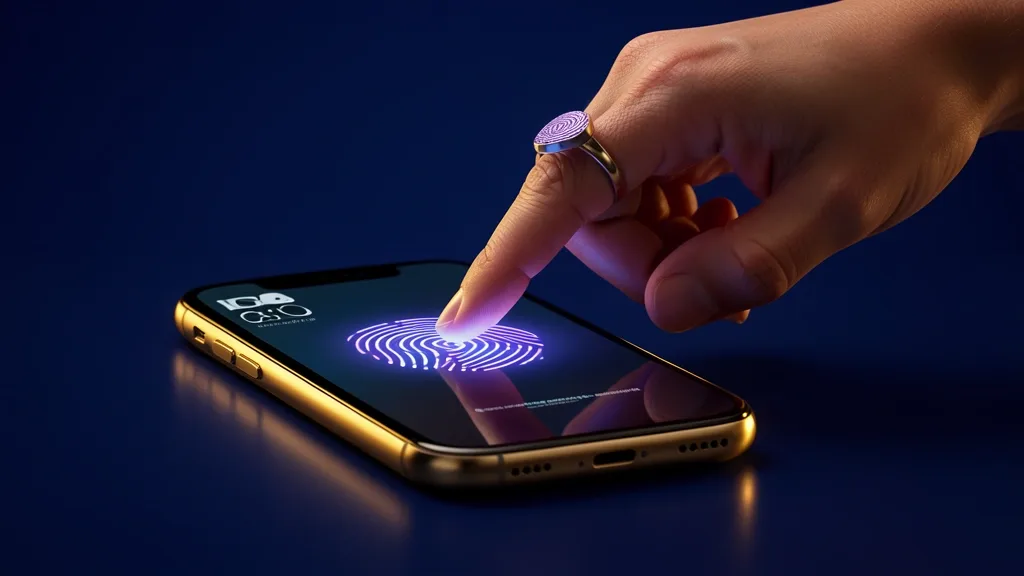
After the first successful login, SOUL77 offers fingerprint or face access. Later launches can reach the lobby in about two seconds without typing the password. You can browse the live casino area after signing in.
Text-message two-step verification is available under Profile, then Security. It requests a code when the account is opened on a new device.
Make a first deposit and open a game
The mobile home screen places four main tabs along the bottom: Home, Games, Promotions and Cashier.
| Task | App location | Typical time |
|---|---|---|
| Deposit with bKash, Nagad or Rocket | Cashier tab | About 1 minute |
| Launch a slot | Games, Slots | 3 seconds |
| Enter a live table | Games, Live | 4 seconds |
| View an offer | Promotions tab | 1 tap |
Slots open in portrait view, while live tables can be rotated to landscape. Recently played titles appear in a strip on Home. The fishing games section is available from the Games area.
Live chat sits behind the headset symbol in the upper corner of each tab. Support staff can see the app version and phone model, which helps when describing a technical issue.
Add SOUL77 to an iPhone
iPhone users do not download an APK. Safari saves the SOUL77 web app to the home screen in a few taps:
- Open SOUL77 in Safari: visit the mobile site
- Tap Share: use the button in Safari's toolbar
- Select Add to Home Screen: scroll through the available actions
- Confirm Add: place the icon among the other apps
The shortcut launches in full-screen mode. Face ID can be enabled from Profile, and the web app loads its current version automatically. More account guidance is available on the safety page.
What changes with regular use
After one week, Home places recent and favourite games near the front. Push messages can also report each payout. After a month, the personal settings make the most difference.
| Option | Purpose |
|---|---|
| Notifications by category | Separate payouts, bonuses and tournaments |
| Data saver | Reduce live-video quality on mobile data |
| Quick deposit | Use a saved method and amount in two taps |
| Session reminder | Show play time every 30 or 60 minutes |
A new version appears about once a month. The app displays a notice, downloads the replacement and installs it over the existing version in under a minute.
One hour of slots uses approximately 8% battery and 60 MB of data. One hour of live tables uses about 15% battery and 400 MB of data.
Mobile app questions
How long does the SOUL77 setup take?
Android setup takes about 3 minutes, while adding the iPhone web app takes about 1 minute.
Where is the Android file available?
Use the Download button on the SOUL77 mobile website. The Android app is not listed in Google Play.
Which Android version and storage are required?
Use Android 9 or newer and keep 250 MB of free storage available.
Can I use the app securely?
Download the APK from the SOUL77 site, keep your phone locked and turn off the browser's unknown-app permission after installation. The app uses an encrypted connection and requests notification access.
Does the welcome offer work in the app?
Yes. The ৳1,000 free credit, 200% bonus and weekly offers can be used through the app when their terms apply.
What should I do if Android refuses the install?
Free storage, remove an older APK, download the file again and allow installs from the browser. If Play Protect appears, complete its scan and continue only when the file came from the SOUL77 website.